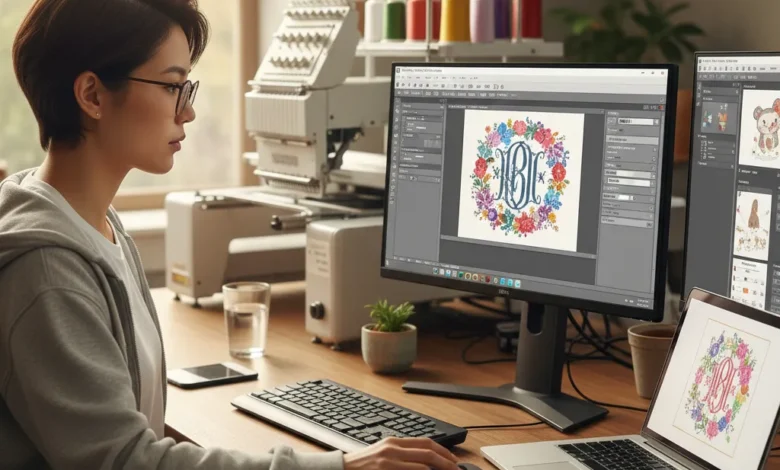
Embroidery has evolved far beyond traditional needlework, thanks to technology that brings precision and creativity to the digital age. Embrilliance software is at the forefront of this revolution, offering tools that simplify embroidery design while enhancing creative possibilities. From hobbyists stitching at home to small businesses creating custom apparel, Embrilliance provides a powerful platform for digitizing stitch editing and pattern customization.
Unlike older embroidery programs that require extensive technical knowledge, Embrilliance allows users to create custom monograms, personalized patterns, and precise designs with ease. Its intuitive interface, AI-assisted digitizing tools, and multi-platform support make it an essential choice for anyone looking to produce high-quality embroidery work efficiently.
What Is Embrilliance Software?
Embrilliance software is a versatile embroidery design platform designed for both beginners and advanced users. It enables you to create, edit, and customize embroidery patterns compatible with a wide range of machines. There are multiple versions: Essentials, Enthusiast, and StitchArtist, each catering to different skill levels and professional needs.
The software works on both Windows and Mac, providing cross-platform compatibility. It supports popular machine formats such as PES, DST, EXP, and JEF, ensuring that your designs can be used seamlessly. By combining digitizing, hooping, and thread management, Embrilliance allows users to produce embroidery designs that are both accurate and creative.
How Embrilliance Embroidery Software Works
Using Embrilliance software is straightforward yet powerful. Start by importing a design file or creating one from scratch. You can assign stitch types, adjust density, and modify the size to fit your hoop. The software’s preview tools simulate how the design will look when stitched, helping you identify potential issues before starting the embroidery.
Customization features include color palette management, pattern scaling, and layout adjustments. These tools allow you to experiment creatively while maintaining stitch consistency and precision. Multi-hoop layout options let you work on large or complex designs without losing alignment, making Embrilliance ideal for both personal projects and professional applications.
Downloading Embrilliance Software
Embrilliance Software Free Download
For beginners, Embrilliance offers a free demo version. This allows users to explore features like monogramming and basic stitch editing without committing to a purchase. The free download works on both Windows and Mac, making it easy for anyone to test the software and learn the basics.
Paid Versions and Cost
The cost of Embrilliance software depends on the version you choose. The Essentials version is the most affordable and includes basic stitch editing and monogram tools. Enthusiast offers more advanced customization, including multi-hoop layouts and pattern digitizing, while StitchArtist provides full professional-level features for complete design control. Knowing which Embrilliance software do I need depends on your experience level and project requirements. Prices vary, and occasional coupon codes or promo codes may help reduce the cost.
Requirements for Embrilliance Software
To run Embrilliance smoothly, your system should meet minimum requirements. For Windows, a modern processor, at least 4GB of RAM, and a compatible version of Windows 10 or later is recommended. For Mac, the software requires macOS 10.12 or higher. Adequate storage space is needed for large embroidery files, and having a compatible embroidery machine is essential for exporting designs. Meeting these system requirements ensures optimal performance and avoids errors during stitch simulation or layout processing.
Also Read: Wolf 3D Software: Guide to 3D Avatars and Virtual Identity
Embrilliance Software Updates and Features
Embrilliance regularly releases updates to enhance functionality. Updates may include new stitch types, improved simulation, bug fixes, and pattern optimization tools. Keeping your software updated ensures that you benefit from the latest improvements and maintain compatibility with your embroidery machine. Regular updates also enhance thread management, digitizing accuracy, and creative workflow, enabling a seamless embroidery experience.
Reviews and Feedback
Users often praise Embrilliance for its intuitive interface and powerful customization features. Beginners appreciate how quickly they can create monograms or simple patterns, while professionals value the multi-hoop tools and advanced stitch editing. Reviews highlight the software’s ability to reduce mistakes, improve stitch consistency, and streamline workflows. Some limitations include the need to upgrade to StitchArtist for full digitizing capabilities, but overall, the software receives high marks for usability and creative flexibility.
Discounts, Promo Codes, and Coupons
Occasionally, Embrilliance offers promotional discounts. Users can find coupon codes or promo codes online that reduce the purchase price for Essentials, Enthusiast, or StitchArtist versions. Applying these codes at checkout is straightforward, allowing hobbyists and small businesses to access the software at a lower cost while enjoying all its creative benefits.
Comparison Table – Embrilliance Software Versions
| Feature | Essentials | Enthusiast | StitchArtist |
|---|---|---|---|
| Basic Stitch Editing | Yes | Yes | Yes |
| Monogram Creation | Yes | Yes | Yes |
| Custom Digitizing | No | Yes | Yes |
| Multi-Hoop Layout | No | Yes | Yes |
| Advanced Stitch Tools | No | No | Yes |
| Thread Palette Management | Yes | Yes | Yes |
| Cross-Platform Support | Yes | Yes | Yes |
| Free Version / Demo | Yes | No | No |
Future Trends in Embroidery Software
As technology evolves, AI-assisted pattern generation, multi-hoop automation, and 3D stitch simulation will become standard features in embroidery software. Cloud-based design marketplaces, integration with e-commerce platforms, and enhanced personalization tools will allow creators to share and sell their designs easily. These innovations will support more creative workflows, digitizing accuracy, and pattern optimization, making embroidery faster, smarter, and more engaging than ever.
Conclusion
As technology evolves, AI-assisted pattern generation, multi-hoop automation, and 3D stitch simulation will become standard features in embroidery software. Cloud-based design marketplaces, integration with e-commerce platforms, and enhanced personalization tools will allow creators to share and sell their designs easily. These innovations will support more creative workflows, digitizing accuracy, and pattern optimization, making embroidery faster, smarter, and more engaging than ever.
FAQs
What is Embrilliance Software used for?
Embrilliance is used to create, edit, and customize embroidery designs for personal or professional projects.
Is Embrilliance compatible with my embroidery machine?
Yes, it supports a wide range of formats including PES, DST, EXP, JEF, and more.
Can I create custom monograms with Embrilliance?
Absolutely. Monogram creation is a key feature, with adjustable fonts, spacing, and stitch types.
Do I need technical knowledge to use this software?
No. The Essentials and Enthusiast versions are designed for beginners, while StitchArtist provides advanced tools for professional digitizing.
Which operating systems does Embrilliance support?
It works on both Windows and Mac platforms.