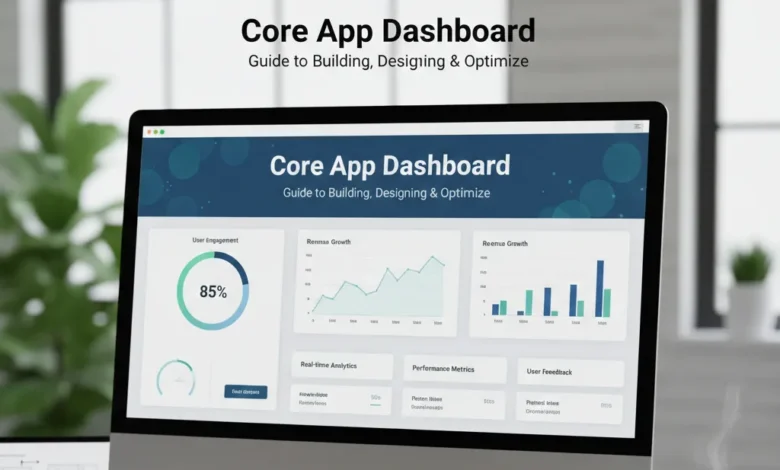
Every business runs on data. But raw data alone doesn’t drive decisions visibility does. That’s exactly what a core app dashboard delivers: a centralized, real-time window into your application’s most critical metrics, user activity, and operational health.
Whether you’re managing a SaaS product, an IoT network, an internal business tool, or a healthcare platform, a well-built core app dashboard transforms complexity into clarity. It gives your team the ability to act on insight rather than react to surprises.
This guide covers everything you need from understanding what a core app dashboard actually is, to designing one that users love, choosing the right tools, and avoiding the mistakes that kill dashboard value. We’ve also gone deeper than any other resource on the topic to give you a practical edge.
Table of contents
- What Is a Core App Dashboard?
- Core Components of an Effective App Dashboard
- Key Benefits of a Well-Built Core App Dashboard
- Best Tools for Building a Core App Dashboard: Honest Comparison
- Dashboard Design: 8 Rules That Separate Good from Great
- How to Build a Core App Dashboard: A Step-by-Step Guide
- Core App Dashboard Use Cases Across Industries
- Common Core App Dashboard Mistakes (And How to Avoid Them)
- AI, Machine Learning, and the Future of Core App Dashboards
- Conclusion
- FAQs
What Is a Core App Dashboard?
A core app dashboard is a centralized user interface that consolidates an application’s most important data, performance metrics, and controls into one accessible view. Think of it as the command center of your application the place where administrators, analysts, and decision-makers go first to understand what’s happening and what to do about it.
Unlike standalone analytics tools or generic reporting screens, a core app dashboard is deeply integrated into the application itself. It pulls live data from internal systems, external APIs, and third-party tools, presenting everything in a unified, interactive view that’s updated in real time or near-real time.
The term ‘core’ is important here. It signals that this isn’t a supplementary feature it’s the operational heart of the application. The quality of your dashboard directly determines how quickly your team can respond to problems, identify opportunities, and stay aligned around what matters most.
Core Components of an Effective App Dashboard
Not all dashboards are created equal. The best core app dashboards share a common set of well-designed components that work together to deliver both clarity and action.
KPI and Metrics Panels
Key Performance Indicators (KPIs) are the heartbeat of any dashboard. These panels highlight the most critical numbers revenue, active users, error rates, uptime at a glance. Good KPI design means showing the current value alongside context: a trend line, a comparison to the previous period, or a threshold indicator. A number without context is just noise.
Charts and Data Visualizations
Charts translate raw numbers into patterns. Line charts reveal trends over time, bar charts enable category comparisons, pie charts show composition, and heatmaps expose density or correlation. The key is matching the right chart type to the question being answered not choosing visuals based on what looks impressive.
Real-Time Data Feeds
Modern users expect live data. Whether it’s a live transaction counter, a server health monitor, or a real-time user activity map, your core app dashboard should update continuously without requiring a page refresh. This is especially critical in operational contexts like IT monitoring, IoT management, and financial trading.
Interactive Filters and Controls
Static dashboards tell you what happened. Interactive dashboards let you explore why. Filters by date range, geography, user segment, or product category give users the ability to slice data and surface their own insights. Every filter added should serve a clear user purpose filters that nobody uses are just visual clutter.
Alerts and Notification Systems
A dashboard you have to watch constantly isn’t a dashboard it’s a chore. Smart alert systems notify users when a metric crosses a threshold, an anomaly is detected, or a critical event occurs. Alerts should be configurable, relevant, and delivered through the right channel (in-app, email, Slack, etc.) to avoid notification fatigue.
User Management and Access Controls
Not every user should see everything. Role-based access control (RBAC) ensures that executives see strategic summaries, analysts see granular data, and operators see only what’s relevant to their work. Secure authentication including multi-factor authentication (MFA) protects sensitive operational data.
Integration Layer
A core app dashboard is only as useful as the data it can access. Robust integration capabilities via APIs, data connectors, or native integrations allow the dashboard to pull in data from CRMs, ERPs, cloud platforms, IoT devices, databases, and third-party analytics tools, creating a single source of truth.
Key Benefits of a Well-Built Core App Dashboard
The business case for investing in a quality core app dashboard is strong. When built correctly, the returns show up in speed of decision-making, operational efficiency, and team alignment.
Faster, more informed decisions are the most immediate benefit. When decision-makers can see the current state of the business in real time rather than waiting for weekly reports or manually pulling data from multiple systems, they can act on opportunities and problems sooner. In competitive markets, that speed is a genuine advantage.
Reduced operational overhead is another major win. Without a centralized dashboard, teams spend significant time aggregating data from disparate sources, cleaning it, and presenting it in reports that are often outdated by the time they’re read. A good dashboard automates this entire process, freeing up hours every week.
Improved team alignment follows naturally. When everyone from the CEO to the front-line analyst is looking at the same real-time data, conversations become more focused and decisions are easier to align. Disagreements about ‘what the numbers say’ largely disappear when there’s a single authoritative source.
Early problem detection is another underrated benefit. Real-time monitoring with smart alerts means your team finds out about performance degradation, unusual user behavior, or data anomalies before they become crises not after.
Best Tools for Building a Core App Dashboard: Honest Comparison
Choosing the right platform is one of the most consequential decisions in your dashboard project. The market is crowded, and every vendor claims to be the best. Here’s an objective breakdown of the leading options across key criteria:
| Tool | Best For | No-Code? | Real-Time Data | Custom Code? |
| Tableau | Enterprise BI & analytics | Partial | Yes | Yes (calculated fields) |
| Power BI | Microsoft-stack orgs | Partial | Yes | Yes (DAX, R, Python) |
| Looker | Embedded analytics | No | Yes | Yes (LookML) |
| Grafana | IT/DevOps monitoring | No | Excellent | Yes |
| Metabase | Startups & small teams | Yes | Partial | Limited |
| Retool | Internal tools & ops teams | Partial | Yes | Yes (JavaScript) |
| NocoBase | No-code app builders | Yes | Yes | Yes (plugins) |
| Domo | Business users, non-technical | Yes | Yes | Limited |
The right choice depends on your team’s technical level, your data infrastructure, and your budget. Tableau and Power BI lead in enterprise analytics depth. Grafana is the clear winner for real-time infrastructure monitoring. Retool and NocoBase suit teams building internal tools without dedicated engineering resources. Metabase is the most accessible entry point for smaller organizations.
Dashboard Design: 8 Rules That Separate Good from Great
Most dashboards fail not because of bad data or poor technology they fail because of poor design. Here are eight principles that consistently separate effective dashboards from those that get ignored.
1. Start With the Question, Not the Data
The most common dashboard mistake is building around the data that’s available rather than the questions that need answering. Before designing a single chart, define the decisions this dashboard is meant to support. Every visual element should trace back to a specific user question. If it doesn’t, cut it.
2. One Primary Insight Per View
Every chart or panel on your dashboard should communicate one clear insight. When a visual tries to say multiple things at once, it ends up saying nothing clearly. If you need to show multiple insights, use separate panels or design drill-down interactions that reveal detail on demand.
3. Establish a Clear Visual Hierarchy
Not all metrics are equal. Your layout should reflect that. The most critical KPIs should be the largest and most prominent positioned at the top-left where the eye naturally goes first. Supporting metrics and detail views should recede visually. Users should know where to look without being told.
4. Use Color Purposefully
Color should signal meaning, not decorate. Use a consistent, restrained palette. Reserve strong colors red, amber, green for status indicators and alerts. Use neutral tones for background data and supporting context. Always design for color blindness by not relying on color alone to convey critical information.
5. Add Time Context to Every KPI
A metric without time context is almost meaningless. ‘Revenue: $142,000’ tells you very little. ‘Revenue: $142,000 up 12% from last month’ tells a story. Always pair current values with trend lines, period comparisons, or directional indicators. Time is the dimension that gives data velocity and meaning.
6. Reduce Cognitive Load Aggressively
Every additional element another chart, another filter, another column adds cognitive load. Users have finite attention. The more choices and information you present, the longer it takes for them to find what they need. Audit your dashboard regularly and ruthlessly remove anything that isn’t being used.
7. Design for Progressive Disclosure
Start with the highest-level summary. Let users drill down into detail on demand. This keeps the initial view clean and focused while still giving power users access to granular data. Hover states, click-to-expand panels, and linked detail views are your tools here.
8. Test on Real Devices and Real Conditions
Design your dashboard where it will actually be used on a laptop in a meeting room, on a phone in a hallway, on a TV screen in an operations center. If your charts are unreadable at small sizes, your layout breaks on a tablet, or your color choices wash out on a projector, clarity collapses. Test early and often across real environments.
How to Build a Core App Dashboard: A Step-by-Step Guide
Building an effective core app dashboard is a process, not a one-time design exercise. Here’s a practical framework that works regardless of which tool or technology you choose.
Step 1: Define Your Users and Their Goals
Different users need different views. An executive needs a strategic summary. An analyst needs granular filtering and drill-down capability. An operator needs real-time alerts and status indicators. Start by mapping your user types and the specific questions each group needs the dashboard to answer. This user research informs every subsequent decision.
Step 2: Identify the Metrics That Actually Matter
Work with stakeholders to identify 5 to 10 core KPIs that are directly tied to business or operational outcomes. Resist the urge to include everything available. More metrics do not equal more insight they equal more confusion. For each metric, define the source data, the update frequency, and the thresholds that indicate a problem.
Step 3: Map Your Data Sources and Integration Points
List every system your dashboard needs to pull data from: your application database, CRM, marketing platform, cloud infrastructure, third-party APIs. For each source, determine how you’ll connect direct database query, REST API, data warehouse, or ETL pipeline. Consider data freshness requirements: does this metric need to be updated every second, every hour, or daily?
Step 4: Wireframe Before You Build
Create low-fidelity wireframes of the dashboard layout before writing a single line of code or dragging a single widget. Paper sketches or simple tools like Figma or Balsamiq work fine. Share wireframes with actual users early. Discovering that a layout doesn’t work at the wireframe stage costs nothing. Discovering it after you’ve built costs days.
Step 5: Build the Data Pipeline First
Before focusing on visuals, ensure your data flows correctly. Build and validate your data connections, transformations, and aggregations. Garbage data flowing into a beautiful dashboard is still a broken dashboard. Establish data validation processes and document data definitions so all users understand what each metric means and how it’s calculated.
Step 6: Build Iteratively, Starting With the Core View
Don’t build everything at once. Start with the 3 to 5 most critical views, get user feedback, then expand. This iterative approach catches design problems early, prevents over-engineering, and ensures the dashboard evolves based on real usage rather than assumed needs.
Step 7: Set Up Alerting and Monitoring
Configure threshold-based alerts for your most critical metrics so users are notified when something needs attention without having to watch the dashboard constantly. Also set up monitoring on the dashboard itself track load times, data refresh success rates, and error rates so you know when the tool is performing below standard.
Step 8: Document and Train
A dashboard no one knows how to use is worthless. Create concise documentation covering what each metric means, how it’s calculated, and when users should take action. Consider building a brief onboarding tour for first-time users. Documentation reduces support burden and ensures consistent interpretation of data across the organization.
Core App Dashboard Use Cases Across Industries
One of the most powerful aspects of the core app dashboard model is its versatility. The same fundamental architecture real-time data, centralized visibility, actionable metrics applies across radically different industries.
Healthcare
In clinical environments, core app dashboards monitor patient vitals in real time, track bed occupancy, manage appointment scheduling, and surface alerts for at-risk patients. Administrative dashboards track resource utilization, billing performance, and compliance metrics. The stakes here are genuinely high a well-designed healthcare dashboard can contribute to faster clinical decision-making and better patient outcomes.
Financial Services
Banks, investment firms, and fintech companies use core app dashboards to monitor transaction volumes, detect fraud patterns, track portfolio performance, and ensure regulatory compliance. Real-time risk dashboards are essential infrastructure in trading environments where market conditions change in milliseconds.
E-Commerce and Retail
Retail operators rely on dashboards to monitor sales performance, inventory levels, conversion rates, and customer behavior across channels. A dashboard that shows real-time stock levels across multiple warehouses alongside live sales velocity gives buyers and operations teams the information they need to prevent stockouts and capitalize on demand spikes.
IT and DevOps
Infrastructure and application monitoring dashboards are perhaps the original use case for real-time data visualization. DevOps teams use tools like Grafana and Datadog to monitor server health, application error rates, API latency, deployment success, and security events. In these environments, seconds matter a slow alert can mean significant user impact.
Manufacturing and Supply Chain
Production dashboards track output rates, defect rates, machine utilization, and maintenance schedules. Supply chain dashboards provide visibility into supplier performance, inventory levels, and logistics tracking. Real-time visibility into production lines enables faster identification of bottlenecks and more efficient resource allocation.
Education
Educational platforms use dashboards to track student engagement, assignment completion rates, learning outcomes, and course performance. Administrators use dashboards to monitor enrollment trends, faculty workload, and resource allocation. Data-driven educators can identify at-risk students early and intervene before they fall behind.
Common Core App Dashboard Mistakes (And How to Avoid Them)
Even experienced teams make these mistakes. Knowing them in advance is the most efficient way to avoid them.
Metric overload is the number one killer of dashboard effectiveness. When every metric someone thought might be useful ends up on the screen, the result is a wall of numbers that overwhelms rather than informs. The solution: be ruthless about what belongs on the primary view. Everything else can live in drill-down views or secondary pages.
Designing without users is the second most common failure mode. Teams build dashboards based on what they think users need, rather than what users actually need. The fix is simple: put wireframes in front of real users early and often. The feedback from a thirty-minute usability test can save weeks of rework.
Ignoring mobile is increasingly costly. In 2026, a significant share of dashboard access happens on mobile devices especially for executives checking key metrics between meetings. If your dashboard isn’t designed for smaller screens, you’re delivering a degraded experience to some of your most important users.
Stale data presented as current is dangerous. If your dashboard shows data that’s hours old but there’s no timestamp or indication of data freshness, users will make decisions based on outdated information. Always display when data was last updated and set up alerts when data refresh jobs fail.
No onboarding or documentation creates friction that drives abandonment. Users who can’t quickly understand what a metric means or how to use a filter will stop using the dashboard. Brief tooltips, contextual help text, and a short onboarding tour pay significant dividends in adoption.
Also Read: Topics MyWirelessCoupons
AI, Machine Learning, and the Future of Core App Dashboards
The information technology core app dashboard of 2026 is already a very different tool than it was three years ago and the next three years will bring even more significant changes, driven primarily by advances in artificial intelligence and machine learning.
Automated anomaly detection is becoming standard. Rather than relying on manually configured threshold alerts, AI-powered dashboards continuously learn baseline patterns in your data and automatically surface deviations that might warrant attention. This shifts dashboards from passive display tools to proactive intelligence systems.
Natural language querying is removing the technical barrier to data exploration. Instead of requiring users to know how to configure filters or write queries, conversational interfaces let users ask questions in plain language: ‘Show me our top-performing regions last quarter’ or ‘What drove the spike in errors on Tuesday?’ This makes dashboards accessible to a much wider range of users.
Predictive analytics integration is giving dashboards a forward-looking dimension. Rather than just showing what happened, AI-enhanced dashboards can show what’s likely to happen forecasting demand, predicting churn, anticipating infrastructure failures before they occur. This shift from descriptive to predictive analytics is one of the most significant developments in the space.
Personalized dashboard experiences are emerging from behavioral ML. As systems learn how individual users interact with dashboards which metrics they focus on, which filters they apply, which views they visit most they can automatically customize the experience, surfacing the most relevant information for each person without requiring manual configuration.
Conclusion
A core app dashboard done well is one of the highest-leverage investments a technology team can make. When your team has real-time visibility into what matters presented clearly, updated automatically, and designed for the humans who use it the quality and speed of decision-making improves across the organization.
The gap between a dashboard that people actually rely on and one that gets opened once and abandoned comes down to a few key decisions knowing your users before you design, keeping the primary view focused and uncluttered, connecting to the right data sources reliably, and building in the alerting that eliminates the need for constant manual monitoring.
Start small, ship something useful, collect feedback, and iterate. The best information technology core app dashboards aren’t built once they evolve continuously alongside the applications and organizations they serve.
FAQs
What is the difference between a core app dashboard and a standard analytics tool?
A core app dashboard is embedded within and tightly integrated with a specific application, providing real-time operational visibility tailored to that application’s data and workflows.
How long does it take to build a core app dashboard?
Timeline varies significantly based on scope and tooling. A basic dashboard using a no-code tool like Metabase or Retool, with clean data sources already in place, can be operational in days.
How do I choose the right chart type for my data?
Match the chart to the question. Use line charts for trends over time, bar charts for comparing categories, scatter plots for relationships between two variables, pie charts sparingly for part-to-whole relationships, heatmaps for density or correlation patterns, and KPI tiles for single critical metrics.
How do I keep my core app dashboard secure?
Security starts with authentication use strong password requirements and implement multi-factor authentication (MFA) for all users. Layer on role-based access control so users only see data appropriate to their role. Encrypt data in transit (HTTPS/TLS) and at rest.
What KPIs should a core app dashboard always include?
The right KPIs depend entirely on your application type and business model. That said, most information technology core app dashboards benefit from including: active user count or session volume, system uptime and error rate (for technical health), core business metric.
Can a core app dashboard handle large volumes of data without slowing down?
Yes, but it requires thoughtful architecture. The key techniques are pre-aggregation (computing summary statistics in the background rather than at query time), caching load balancing.